Here's a scenario most Android users know far too well. Your phone says it has 15% battery left, so you plug it in, walk away for twenty minutes, and come back to find it's only at 34%. Or the opposite happens: you unplug at 100%, and within an hour of light use you're already down to 68%. The little battery icon in your status bar feels less like a measurement and more like a rough guess — and honestly, that's because it largely is one.
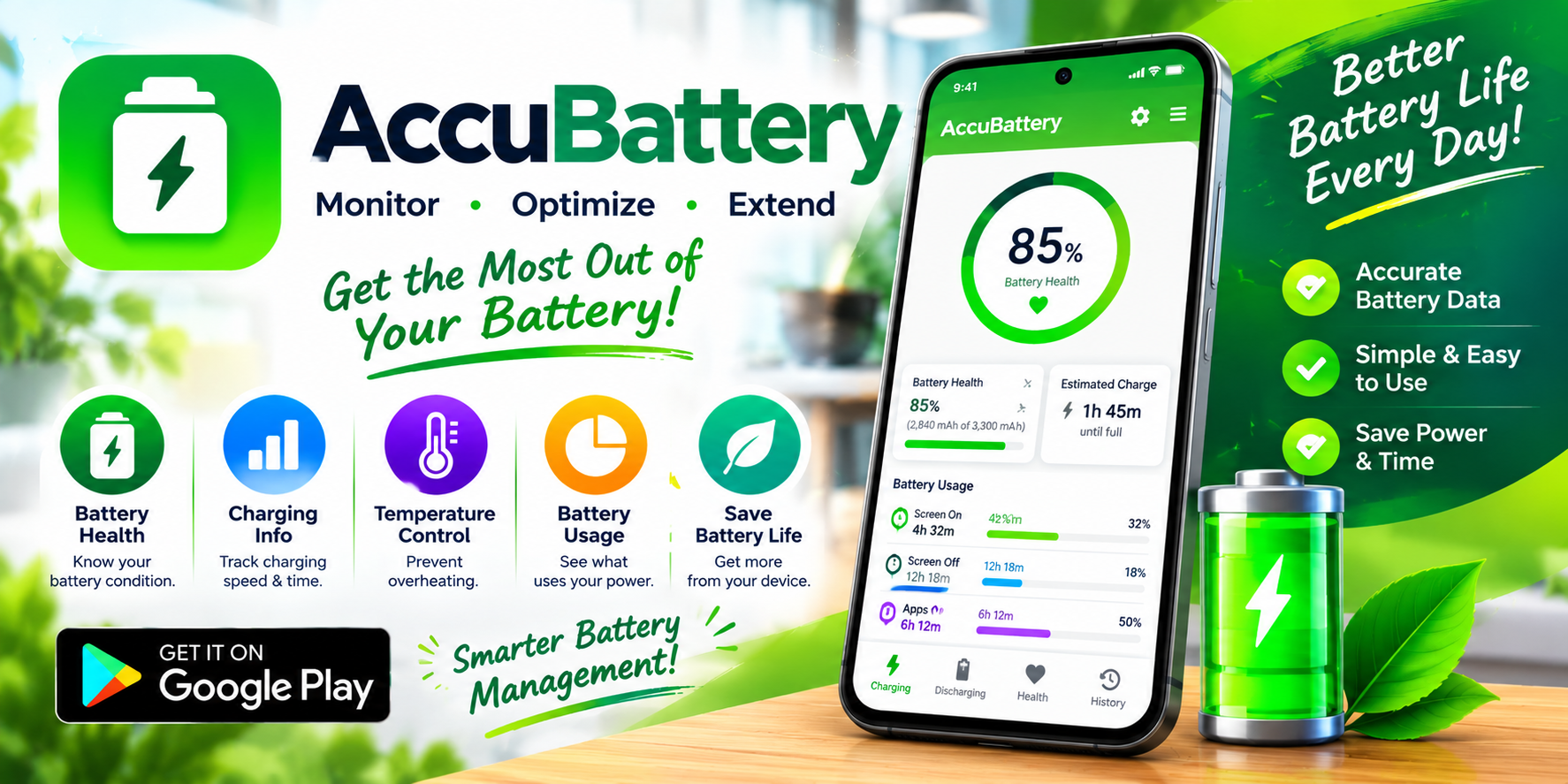
AccuBattery exists to fix that problem. Developed by Digibites Technology B.V., a small independent studio based in Rotterdam, Netherlands, this app has built a devoted following of over half a million reviewers by doing something surprisingly rare in the mobile world: measuring your battery scientifically instead of estimating it. It's not flashy, it's not trendy, and it doesn't try to be anything other than what it is — an honest diagnostic tool for the most important component in your phone.
Why Your Phone's Battery Percentage Is Misleading
To understand why AccuBattery matters, you first need to understand what your phone is actually telling you. Android estimates remaining battery life using parameters supplied by the device manufacturer — things like CPU power draw, screen consumption, and radio usage. As the app's own documentation points out, these estimates can deviate significantly from reality.
The truth is that battery percentage is a calculation, not a direct reading. It's inferred from voltage curves, charge controllers, and firmware assumptions that vary wildly between manufacturers. Two phones with identical batteries can report completely different percentages under identical conditions. And critically, none of these systems tell you anything meaningful about battery health — the actual capacity your battery has left after months or years of charging cycles.
AccuBattery cuts through this by reading the information provided by your phone's battery charge controller directly. It combines that data with information about which apps are running in the foreground to produce something far closer to ground truth. It's the difference between a weather forecast and a thermometer.
The Core Feature: Measuring Real Battery Capacity
The headline capability here is battery capacity measurement in milliamp-hours (mAh). Every lithium-ion battery degrades over time — that's physics, not a design flaw. Each charge cycle chips away at total capacity, and after a couple of years, a phone that shipped with a 4,000 mAh battery might only hold 3,200 mAh.
AccuBattery lets you see that number. Not an estimate, not a manufacturer claim, but a measurement based on actual charging behavior. This matters enormously because it changes how you think about your device:
- You learn whether your battery is actually worn out or whether something else is draining it
- You can decide rationally whether a battery replacement is worth the cost versus buying a new phone
- You get objective evidence when a refurbished or used phone isn't performing as advertised
- You build a long-term record of how capacity declines over months and years
That last point is where the app truly shines. It's not a one-time diagnostic — it's an ongoing relationship with your device's health.
Understanding Battery Usage in Real Terms
Beyond health, AccuBattery offers a detailed breakdown of where your power actually goes. The app monitors current drain, estimates how long your phone will last in active use versus standby, and — perhaps most usefully — identifies the power consumption of individual apps.
This is genuinely valuable because Android's built-in battery stats are notoriously vague. You'll see a list of apps with percentages that don't add up to anything actionable. AccuBattery's approach is more granular and more honest about uncertainty.
Key things you can monitor:
- Real-time power consumption while the phone is in use
- Standby versus active usage estimates so you know what to expect from a full charge
- Per-app drain to catch the background processes quietly eating your battery
- Sleep versus wake frequency — a window into how often your phone is secretly waking up when it should be resting
That last metric is often the most revealing. A phone that's waking constantly in your pocket is a phone with a misbehaving app, and finding it is the first step to fixing it.
Charging Speed, Cables, and the Charger Myth
Here's a fact that surprises a lot of people: the charger and cable you use matter enormously, and not all combinations deliver the same speed. AccuBattery measures charging current in milliamps, letting you compare chargers and cables objectively rather than trusting marketing claims.
The app shows charging speed with the screen on and off — which is important, because screen-on charging can be dramatically slower — and estimates how long until you reach full charge. If you've ever wondered whether that cheap USB cable from a drawer is actually charging your phone at full speed, this settles the question in about thirty seconds.
For anyone who has accumulated a drawer full of mystery cables, this feature alone justifies the download.
The Charging Habit That Extends Battery Life
One of AccuBattery's most quietly useful features is its charge alarm. You set a threshold — 80% is the common recommendation — and the app notifies you when you hit it, so you can unplug.
Why does this matter? Lithium-ion batteries degrade faster when kept at high charge states, particularly when held at 100% for extended periods. The difference between routinely charging to 100% and routinely stopping at 80% can meaningfully extend how long your battery stays healthy. It's one of the few genuinely evidence-backed habits in the world of battery care, and the app makes it easy to build.
You're not just measuring your battery's decline — you're actively slowing it down.
Privacy, Transparency, and a Small Team Worth Supporting
AccuBattery's data safety disclosure is more detailed than most, and it deserves an honest look. The app may share location data, app activity, and device identifiers with third parties, and may collect location, personal information, and several other categories of data. Data is encrypted in transit, and you can request deletion.
That's a more substantial disclosure than you'd see from a purely offline utility, and it's worth being aware of before installing. The developers describe themselves as a small, independent studio focused on quality and passionate about battery statistics, and they explicitly state the app doesn't access private information or provide false data. The free version is ad-supported, with a Pro upgrade that removes ads, adds dark and AMOLED themes, unlocks charging history beyond yesterday, and provides detailed battery stats in notifications.
The app's changelog also reveals an actively maintained product. Recent updates fixed overlay rendering behind rounded screen corners, improved handling of charge-limited devices like Sony phones with 80% charging caps, and clarified why certain charge cycles aren't included in health calculations. That level of specificity suggests developers who actually use their own app.
What Real Users Say — Including the Criticism
AccuBattery holds a 4.4-star average across 586,000 ratings, which is impressive for a diagnostic utility. But the reviews tell a more nuanced story, and it's worth hearing both sides.
A widely upvoted critical review argues that the app's capacity calculation is crude — essentially dividing charged milliamp-hours by charge percentage — and that results can be unreliable, comparing it to entertainment-grade benchmarking tools. The same reviewer notes that charging to 100% doesn't always mean the battery has stopped accepting current, and recommends charging from 1% with the screen off for the most accurate reading.
Other reviewers are far more enthusiastic. One calls it the only app on the market that can measure battery degradation with relative accuracy and describes it as essential. Another praises the 80% charge reminder specifically, noting that hearing the alert makes it easy to unplug and slow battery decay.
The honest takeaway: AccuBattery is a measurement tool, not an oracle. For best results, you need to follow its methodology — full charge cycles, screen off, patience. Treat its numbers as well-informed estimates rather than laboratory precision, and it becomes genuinely useful.
Who Should Install AccuBattery?
This isn't an app for everyone, but for the right user, it's indispensable:
- The Long-Term Owner — You plan to keep your phone for three or more years and want to protect its battery.
- The Used-Phone Buyer — You want to verify battery health before or after purchasing a secondhand device.
- The Troubleshooter — Your battery drains fast and you need to identify the culprit app.
- The Data Nerd — You genuinely enjoy seeing real numbers about how your devices perform.
- The Cable Hoarder — You have a drawer of chargers and cables and want to know which ones are worth keeping.
If you fall into any of those categories, the free version is more than enough to get started. If you find yourself checking it daily, the Pro upgrade is a reasonable way to support a small independent developer.
Final Thoughts: Honest Data in a Dishonest Market
Battery specs are one of the least trustworthy areas of smartphone marketing. Manufacturers quote capacity numbers that shrink in real-world use, advertise charging speeds achievable only under ideal conditions, and design sealed devices that make battery replacement deliberately inconvenient. Against that backdrop, AccuBattery is a small act of consumer empowerment.
It won't magically make your battery last longer. But it will tell you the truth about the battery you have, help you slow its decline, and give you the data you need to make smart decisions about your device. And in a market built on vague promises and optimistic estimates, honest data is worth more than almost anything else.
Download AccuBattery on Google Play — and finally find out what's really going on inside your phone.